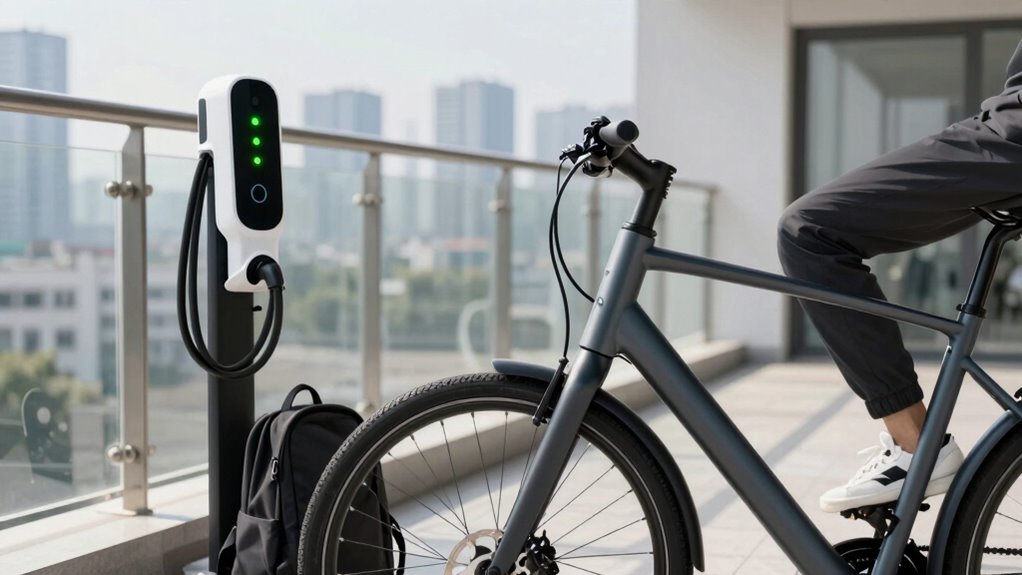

To make your daily commute easier, keep your device charged between 20% and 80%, unplugging at 80% to prevent battery wear. Avoid constant plugging and use chargers with appropriate wattage. When on the go, recharge when below 30%. Store your device in a cool, dry place with about 50% charge if storing long-term. Regular calibration and updates also boost battery life. Keep these habits in mind, and you’ll discover more tips for hassle-free battery management.

Get bike and ride gear delivered free — and shop member deals
- Fast, free delivery on millions of items
- Access to Prime Big Deal Days deals on October 6–7
- Prime Video, Amazon Music and more included
Key Takeaways
- Keep your battery between 20%-80% during daily use to reduce charging stress and extend lifespan.
- Charge your device when it dips below 30%, especially during commutes, to maintain optimal battery health.
- Avoid constant plugging and unplugging; use moderate charging routines to minimize wear.
- Use chargers with appropriate wattage to prevent battery stress during daily charging sessions.
- Regularly calibrate your battery and update software for accurate battery life readings and better management.

Have you ever wondered how to keep your device’s battery healthy for longer? Maintaining a reliable battery is essential, especially when your daily commute depends on it. Developing good charging habits can make a significant difference. Instead of waiting until your battery is completely drained, try to keep it between 20% and 80%. Charging to full capacity all the time isn’t ideal, as it strains the battery over time; unplugging once it hits 80% helps preserve its lifespan. Avoid constantly plugging in and unplugging, as rapid charge cycles can wear out the battery faster. Using a charger with the right wattage for your device prevents undue stress, and if you’re on the go, portable chargers should be used wisely—preferably when your battery dips below 30%. Consistent, moderate charging keeps your battery healthier longer, making sure you’re not caught with a dead device during your commute. Additionally, being mindful of battery calibration can help your device accurately display remaining battery life. Regularly updating your device’s software also optimizes battery management features and improves overall health. Storage best practices also play a vital role in maintaining your device’s battery health. If you plan to store your device for an extended period, keep the battery charge around 50%. Storing a fully charged or completely drained battery can cause capacity loss over time. Always turn off your device before storage, and store it in a cool, dry place, away from direct sunlight or heat sources, which can accelerate battery degradation. Proper storage conditions also help prevent unnecessary damage to the battery. If you’re not going to use your device for several weeks, check the battery’s charge level periodically—recharge it to 50% if it drops significantly. Additionally, avoiding exposure to temperature extremes is crucial, as they can cause irreversible damage to the battery’s chemistry. When you’re ready to use it again, give the device a full cycle of charging and discharging to recalibrate the battery indicator, ensuring accurate readings. Incorporating battery health tips into your routine can further enhance the longevity of your device’s battery. Managing your battery proactively means fewer surprises and more reliable performance, making your daily commute easier to handle without the worry of a dying device.
portable fast charger for smartphones
As an affiliate, we earn on qualifying purchases.
As an affiliate, we earn on qualifying purchases.
Frequently Asked Questions
How Often Should I Calibrate My Battery?
You should calibrate your battery about once every three months to maintain proper battery lifespan. Regular calibration helps your device accurately display battery levels and prevents unexpected shutdowns. If you notice rapid battery drain or inconsistent readings, it’s a good idea to calibrate more frequently. Consistent calibration ensures your battery performs well over time, extending its overall lifespan and keeping your device reliable for daily commuting.
Can Extreme Temperatures Damage My Battery?
Extreme temperatures can definitely damage your battery. High heat accelerates chemical reactions, risking thermal management failure and potentially causing permanent capacity loss. Cold temperatures slow down chemical activity, reducing efficiency and making your battery less reliable. To protect your battery, keep it within the ideal temperature range, especially during extreme weather. Proper thermal management is essential to extend your battery’s lifespan and ensure it performs well every day.
Should I Unplug My Device Once Fully Charged?
Yes, you should unplug your device once it’s fully charged. Wireless charging can sometimes overcharge your battery if left plugged in too long, which can harm battery health. To optimize your battery, disconnect it once full and avoid constantly charging. This routine helps prevent overheating and maintains battery longevity. Consistent unplugging, especially after wireless charging, ensures your device stays in good condition and performs well during your daily commute.
Is Fast Charging Harmful to Battery Health?
Fast charging is like giving your battery a quick boost, but it can slightly reduce battery capacity over time. It accelerates charging cycles, which may wear out your battery faster if used frequently. While convenient, avoid relying solely on fast charging daily; instead, mix in regular charging to extend your battery’s lifespan. Balancing speed with gentle charging helps keep your device running smoothly longer.
How Do I Know if My Battery Needs Replacement?
You’ll know your battery needs replacement when its lifespan shortens considerably, and you notice frequent charging or reduced performance. Replacement indicators include the device shutting down unexpectedly, slow charging, or battery percentage dropping quickly. If your battery health shows a low capacity percentage in settings or performance issues persist despite proper care, it’s time to think about a replacement to guarantee your device functions reliably during daily commutes.
battery calibration tool for laptops
As an affiliate, we earn on qualifying purchases.
As an affiliate, we earn on qualifying purchases.
Conclusion
Think of your battery as a delicate garden that needs daily tending. With consistent care—avoiding extremes, keeping it charged, and staying alert—you nurture a vibrant, resilient life force. When you prioritize this routine, you’re not just maintaining a device; you’re cultivating a steady pulse that keeps your daily journey smooth and bright. Let your routine be the gentle rain and sunshine, ensuring your battery—and your commute—continue to flourish with every ride.
smartphone battery health monitor
As an affiliate, we earn on qualifying purchases.
As an affiliate, we earn on qualifying purchases.
As an affiliate, we earn on qualifying purchases.
Fall Picks
fall essentials
As an affiliate, we earn on qualifying purchases.