To build a simple commuter tech setup, choose wireless charging devices to eliminate cables and keep your phone powered effortlessly. Add noise-canceling headphones for a focus-friendly, clutter-free listening experience. Carry a compact power bank with multiple ports to keep your devices charged during long waits or delays. Select a protective, wireless-compatible case for your phone to safeguard and charge in one step. Focus on these essentials, and you’ll discover how to stay connected and relaxed every day.

Get bike and ride gear delivered free with Prime
- Fast, free delivery on millions of items
- Prime Video, Amazon Music and more included
- Member-only deals all year
Key Takeaways
- Choose wireless charging devices and compatible cases to minimize cables and clutter during your commute.
- Opt for multi-functional accessories like power banks with wireless charging for all your devices.
- Prioritize noise-canceling headphones for focus and relaxation, reducing the need for multiple gadgets.
- Keep your essential tech in a compact, organized setup to streamline daily routines.
- Regularly assess and remove unnecessary gadgets to maintain a minimal, efficient commuter tech environment.
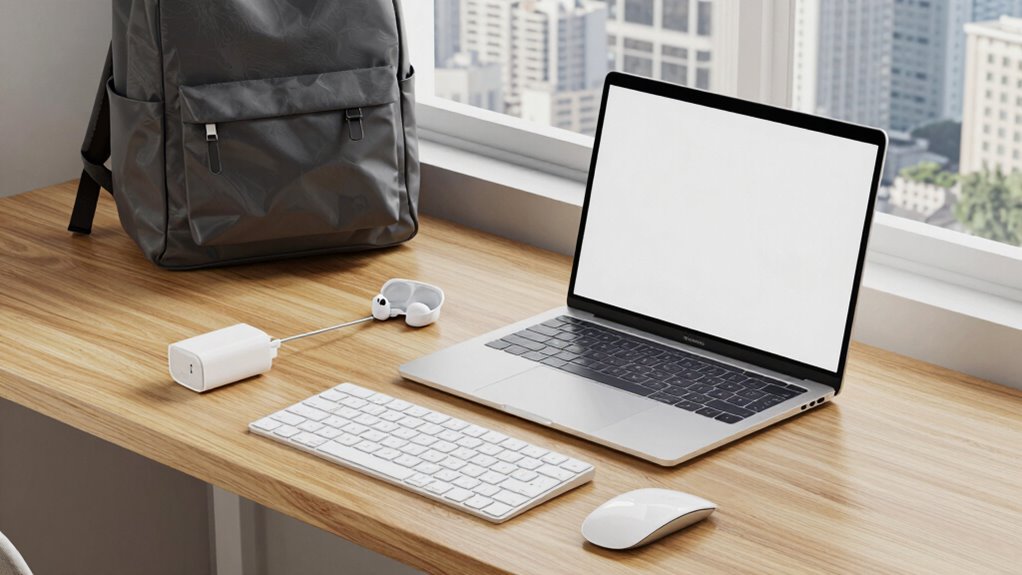
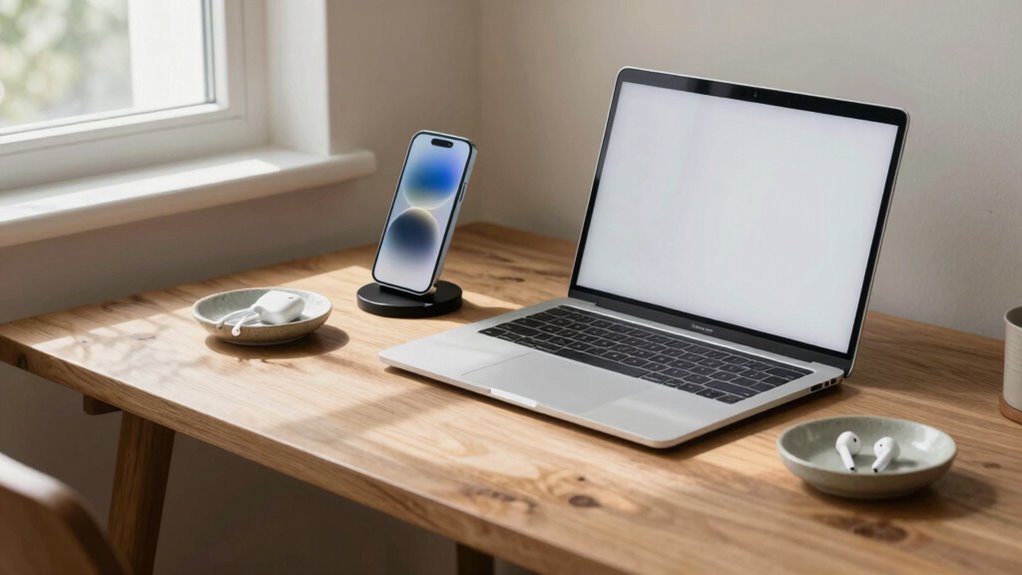
Commuting can be a hassle, but having a simple tech setup makes it easier to stay productive and entertained on the go. The key is to streamline your devices so you’re not juggling multiple gadgets or tangled cords. Start with a smartphone that supports wireless charging. This feature eliminates the need for messy cables, letting you just place your phone on a compatible pad to power up. It’s convenient, especially when you’re rushing or trying to maximize your limited commute time. With wireless charging, you won’t have to worry about carrying extra cables or finding outlets, making your mornings smoother. Additionally, choosing a device with wireless charging support ensures compatibility with a wide range of accessories and future devices.
Streamline your commute with wireless charging—eliminate cables and save time every morning.
Next, invest in a good pair of noise canceling headphones. Commuting often involves noisy environments—crowded trains, busy streets, or loud cafes. Noise canceling headphones block out distractions, allowing you to focus or relax. Whether you’re listening to work podcasts, catching up on an audiobook, or just enjoying your favorite music, these headphones improve your experience. Plus, many models are wireless, which pairs perfectly with your wireless charging device. You can simply set your headphones down to charge without fussing with cables, and they’re ready when you need them. The combination of wireless charging and noise canceling headphones creates a clutter-free, efficient setup that adapts seamlessly to your routine. Investing in wireless accessories can further enhance your convenience and reduce clutter.
To keep everything simple, choose a compact portable power bank. It ensures your devices stay charged during longer commutes or unexpected delays. Look for one with multiple ports, including a wireless charging pad, so you can charge your phone and other gadgets simultaneously. Keep your power bank in an accessible pocket or bag. This way, your devices stay powered up without needing to hunt for outlets or deal with tangled cords. The goal is to keep your tech minimal but effective, so you can focus on your journey instead of troubleshooting or untangling wires.
Finally, consider a slim, durable case for your phone that supports wireless charging. This protects your device from daily wear and tear and makes charging effortless. With these essentials—wireless charging, noise canceling headphones, a portable power bank, and a protective case—you build a simple, reliable commuter setup. It’s all about reducing clutter and maximizing convenience, so your commute becomes a time for productivity or relaxation, not frustration. This straightforward setup empowers you to stay connected, entertained, and efficient no matter how busy your daily travel gets.
wireless charging pad for smartphones
As an affiliate, we earn on qualifying purchases.
As an affiliate, we earn on qualifying purchases.
Frequently Asked Questions
How Do I Choose the Right Portable Charger for Commuting?
To choose the right portable charger, consider your daily needs and device compatibility. Look for one with wireless charging capabilities for convenience, especially during commutes. If you’re eco-conscious, opt for a solar-powered charger to harness sunlight on the go. Confirm it has enough capacity to keep your devices powered throughout the day, and check for fast-charging features to save time. Balancing size, weight, and power ensures your setup stays simple and effective.
What Is the Best Way to Organize My Cables?
Did you know the average person has over 10 cables cluttering their space? To organize your cables, use cable management tools like velcro straps or cable clips to keep cords tidy and prevent tangling. Invest in smart storage solutions such as cable boxes or drawer organizers to hide excess cords. Regularly declutter and label your cables for quick access, ensuring your commuter setup remains streamlined and efficient.
How Can I Protect My Devices During Daily Commutes?
To protect your devices during daily commutes, focus on device security and theft prevention. Use padded cases or sleeves to cushion your gadgets against bumps. Keep devices in secure, discreet compartments or lockable bags when not in use. Avoid displaying expensive gear openly, and consider theft-proof accessories like lockable cables or anti-theft backpacks. Being mindful and prepared helps minimize risks and keeps your tech safe on the go.
Should I Prioritize Lightweight or Durable Tech Gear?
You should prioritize lightweight tech gear for daily commutes, as it’s easier to carry and reduces strain, supporting better tech ergonomics. However, don’t neglect durability—choose devices with sturdy builds that can withstand daily bumps. Focus on battery efficiency too; a lightweight device with long battery life minimizes the need for carrying chargers. Balancing weight, durability, and battery life guarantees a simple, effective, and ergonomic commuter tech setup.
How Do I Manage Notifications Without Distractions?
Notifications can feel like an endless swarm of buzzing bees, but you can tame them for distraction reduction. Turn off non-essential alerts and customize your notification management settings to only receive important updates. Use Do Not Disturb mode during your commute, and set specific times to check messages. This way, you stay focused on your journey without constant interruptions, keeping your tech setup simple and stress-free.
noise-canceling wireless headphones
As an affiliate, we earn on qualifying purchases.
As an affiliate, we earn on qualifying purchases.
Conclusion
By streamlining your commuter tech setup, you craft a sleek vessel sailing smoothly through your daily routines. Keep only what fuels your journey and let go of the excess, like trimming sails to catch the wind just right. A simple, well-chosen array of devices becomes your trusty crew—reliable and unobtrusive—allowing you to focus on the voyage ahead. When your tech setup remains uncluttered, every commute transforms into a graceful dance rather than a chaotic scramble.
compact portable power bank with multiple ports
As an affiliate, we earn on qualifying purchases.
As an affiliate, we earn on qualifying purchases.
As an affiliate, we earn on qualifying purchases.
Halloween Picks
halloween
As an affiliate, we earn on qualifying purchases.