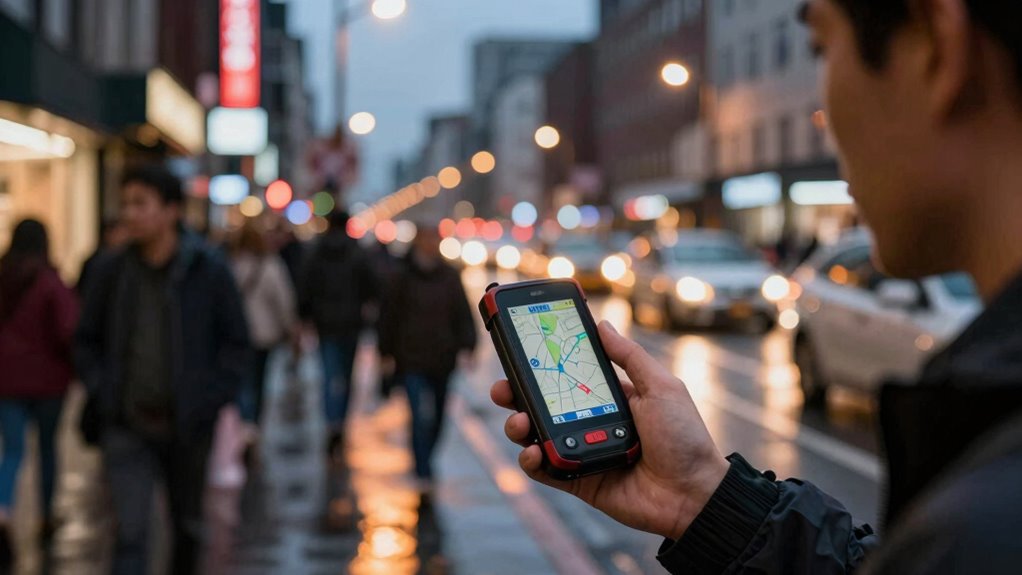

Offline navigation matters more than you think because it keeps you on track even when your cell service drops unexpectedly. It offers faster routing without lag, conserves your phone’s battery, and helps avoid costly data charges, especially abroad. During peak travel times or in remote areas, it provides reliable directions without relying on constant internet connections. If you keep exploring, you’ll discover even more ways offline maps can make your commutes smoother and less stressful.

Get bike and ride gear delivered free with Prime
- Fast, free delivery on millions of items
- Prime Video, Amazon Music and more included
- Member-only deals all year
Key Takeaways
- Ensures continuous navigation during cell service outages or poor reception areas.
- Saves battery life by reducing background activity and internet checks.
- Avoids costly data charges by pre-downloading maps and minimizing data reliance.
- Provides faster, lag-free directions without delays from real-time traffic updates.
- Enhances safety and reliability, especially in remote or high-traffic areas with network overloads.

Have you ever been stuck with no cell service while trying to navigate your daily commute? It’s frustrating, especially when you rely heavily on your phone’s GPS to find the quickest route. Offline navigation becomes a lifesaver in these moments because it doesn’t depend on real-time traffic data or a steady internet connection. When you plan your route in advance or download offline maps, you can still see turn-by-turn directions, guaranteeing you stay on track no matter what. This skill is especially useful if you’re traveling through areas with poor reception or during times when networks tend to get overwhelmed, like rush hours or big events.
Offline maps keep you on track when cell service drops, ensuring smooth navigation during busy or remote drives.
Using offline navigation also helps you manage your phone’s battery life better. When you’re connected to the internet, your device constantly searches for updates—checking for real-time traffic, rerouting around congestion, or updating map data. That continuous background activity drains your battery faster, leaving you stranded when you need your phone most. By switching to offline maps, you limit this background activity, conserving your device’s power. This means you’re less likely to run out of battery before reaching your destination, which is critical if you’re relying on your phone for emergency calls or other essential functions. Additionally, offline navigation tools often provide reliable guidance that you can depend on in any situation. Understanding how offline map data is stored and accessed can also help you optimize your navigation experience.
Another advantage of offline navigation is reducing your dependence on data plans. If you’re traveling internationally or in areas with expensive or limited data, offline maps keep you on course without racking up extra charges. You download the necessary map data beforehand, and then you’re free to navigate without worrying about using up your data allotment. This not only saves money but also enhances your travel experience by providing reliable guidance regardless of network issues.
Plus, offline navigation tools often offer a faster and more streamlined experience. Because they don’t constantly fetch updates or process real-time traffic information, they tend to operate more smoothly and with less lag. This can make a noticeable difference during your commute when every second counts. When you’re familiar with your route beforehand, you can anticipate turns and avoid surprises, making your drive more efficient and less stressful.
In essence, offline navigation isn’t just a backup option; it’s a practical tool that enhances your commute. It guarantees you stay on course even when cellular signals are weak or nonexistent, conserves your device’s battery, and helps you avoid unnecessary data costs. Being aware of offline navigation capabilities can significantly improve your travel experience. So, the next time you plan your route, consider downloading offline maps—your future self will thank you for the smoother, more reliable journey.
As an affiliate, we earn on qualifying purchases.
Frequently Asked Questions
How Does Offline Navigation Improve Battery Life During Commutes?
Offline navigation improves your battery life during commutes by reducing power consumption through battery conservation and enhanced power efficiency. When you use offline maps, your device avoids draining energy on constant data transfers, which happen with online navigation. This means your GPS stays active without relying on Wi-Fi or mobile signals, saving battery and ensuring your device lasts longer during your trip. You get reliable navigation without sacrificing your phone’s power.
Can Offline Maps Be Updated Easily Without Internet Connection?
Imagine holding a detailed map in your hands, ready for any detour. Updating offline maps is simple with map update procedures that use offline map sources, allowing you to refresh your navigation without internet access. You just need to connect your device temporarily to a network, download updates, and save them directly to your device. This way, your offline maps stay current, ensuring smooth journeys even when you’re offline.
Are Offline Navigation Apps Available for All Smartphone Platforms?
Yes, offline navigation apps are available for all major smartphone platforms, including iOS and Android. You can customize offline maps and find offline navigation tutorials to learn how to use them effectively. These apps allow you to plan routes, save maps for offline use, and customize settings to suit your needs. This guarantees reliable navigation without internet, making your commutes smoother and more confident, especially in remote areas.
How Accurate Are Offline Maps Compared to Online Navigation?
Offline maps are like a reliable compass—remarkably accurate for basic navigation but not perfect. Their map accuracy is often very good, especially with detailed data, but they lack real-time updates like traffic or road closures. You won’t get instant rerouting during jams, so for the most precise guidance, online navigation still leads the way. Still, offline maps keep you moving when signals drop or data runs out.
What Are the Data Privacy Implications of Using Offline Navigation?
Using offline navigation enhances your data privacy because it doesn’t require constant internet access, reducing risks related to data breaches. With data encryption, your location info stays protected from unauthorized access. Plus, offline maps promote user anonymity since your movements aren’t shared with third-party servers. This means less tracking and more control over your personal data, making offline navigation a safer choice for privacy-conscious commuters.
As an affiliate, we earn on qualifying purchases.
Conclusion
Imagine you’re caught in a sudden network outage during your daily commute. Without offline navigation, you’re stranded, unsure of your route or nearby options. But with it, you can confidently navigate even without internet, saving time and reducing stress. Offline navigation isn’t just a backup; it’s a reliable companion that keeps you moving smoothly through unexpected challenges. Prioritize it, and you’ll always stay one step ahead, no matter what surprises your commute throws at you.
As an affiliate, we earn on qualifying purchases.
As an affiliate, we earn on qualifying purchases.
Halloween Picks
halloween
As an affiliate, we earn on qualifying purchases.